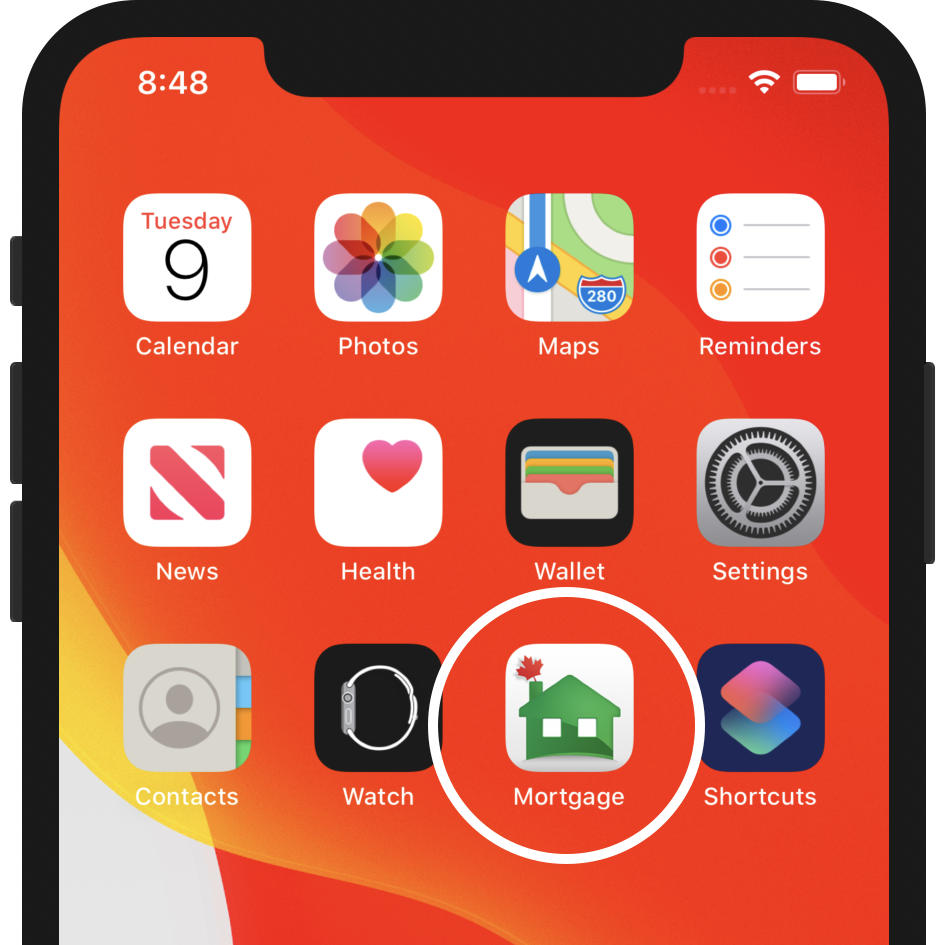
If you don’t have the app scan the code below to download the Canadian Mortgage App.
We recommend you choose the right profession; otherwise, you will not be able to see the PRO upgrade options.
Complete the rest of the flow until your app is set up.
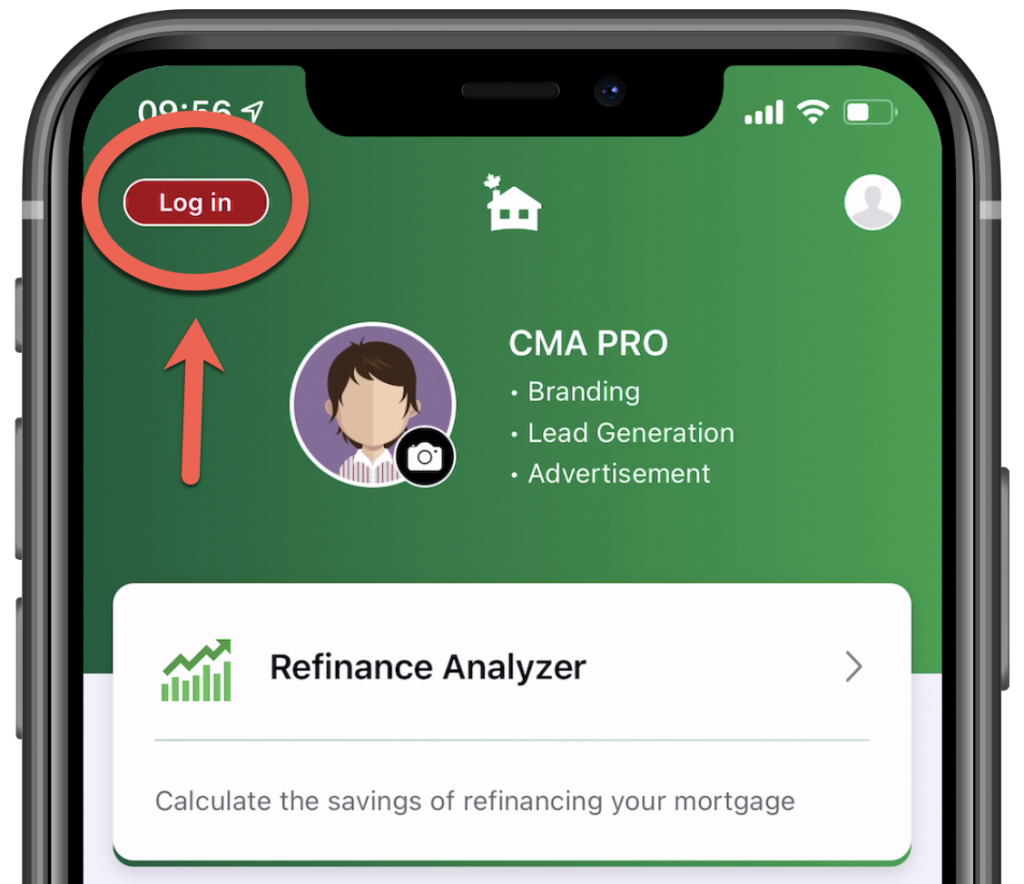
Tap on the “Log in” button to get started.
Enter the email you wish to use for login purposes, then add your details.
Confirm your email and log in using the password you chose.
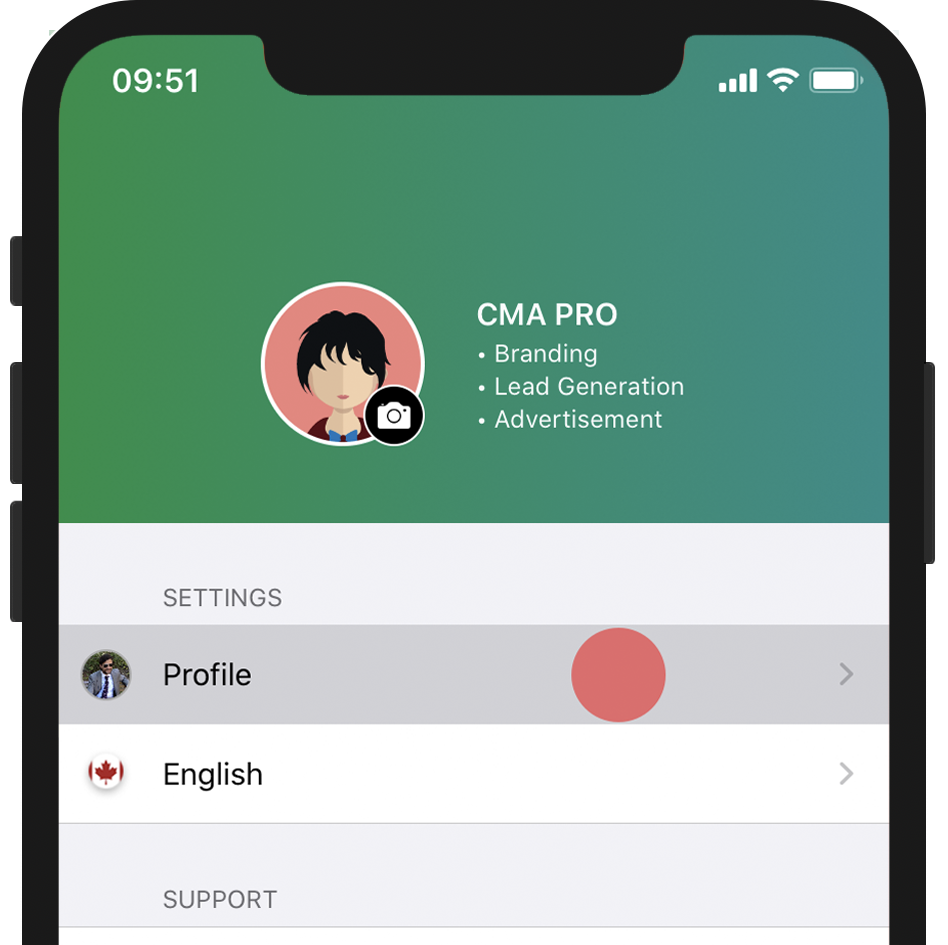
After you logged in successfully, Tap on the far right tab “Settings” and ..
Tap on the “Profile” row. Also in “Settings”.
You’ll see a few options that are locked, but ignore the lock buttons because you are special.
Tap on “My Partners” and follow the next instructions below
iOS (iPhone users)
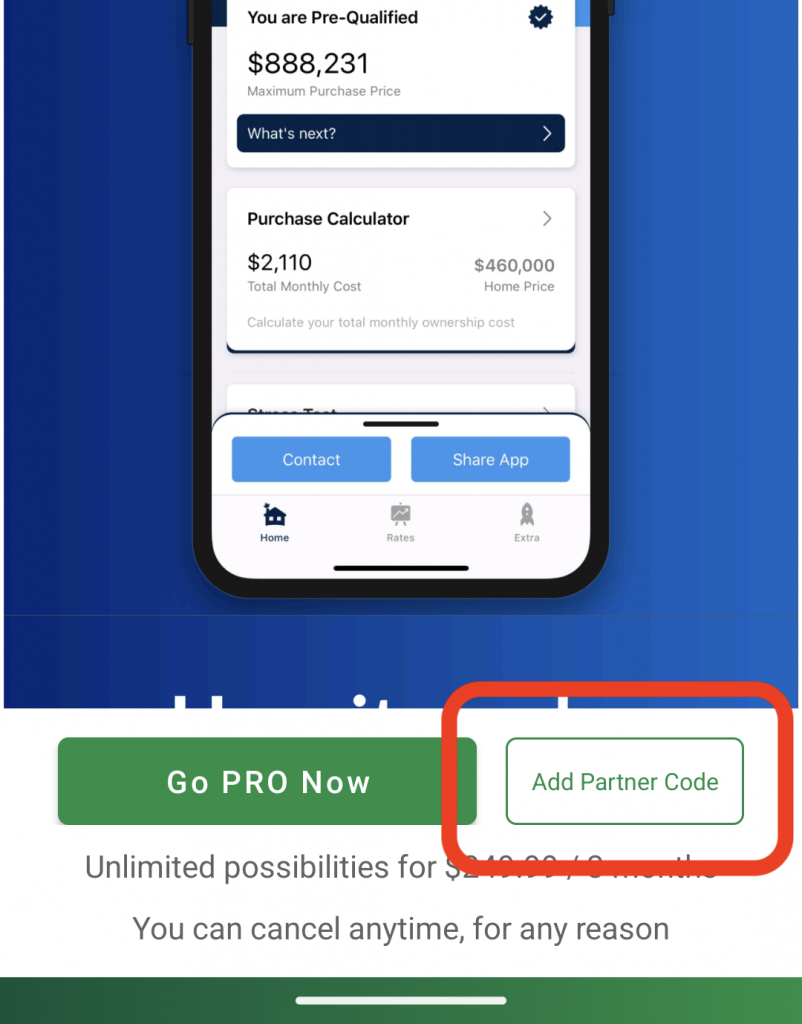
You’ll see a pop-up.
Enter your code on the pop-up and you’ll be presented with a setup screen.
Android: